Building a 5DOF ArmPi Simulator That Can Jump to Hardware
Why I wrote a simulator-first workflow for my ArmPi robot arm, and how the same code now drives a real gripper with safety guardrails built in.
Starting with a simulator, not servos
The ArmPi kit is a fantastic teaching platform, but tuning five revolute joints plus a gripper directly on hardware is a recipe for stripped gears. I wanted the safety of a digital twin before I ever flipped the power supply, so I modelled the arm as an RRRRR chain with the original link lengths and servo travel limits baked in.
Everything in the repo starts from RobotArm, a plain Python class that carries joint states, applies forward/inverse kinematics, and enforces workspace constraints such as "no points below ground" or "keep the gripper horizontal". Because the logic lives in one place, every UI (CLI, Streamlit, or future ROS bridge) gets the same guardrails.
- Joint order follows the ArmPi convention J1-J6, plus J1 for the gripper.
- Pose feasibility checks run before any servo command is sent.
How forward and inverse kinematics actually run
forward_kinematics() converts every servo pulse into radians with get_joint_angles_radians(), then walks the chain from shoulder to gripper. It adds each link (L4→L1) to a running y–z plane vector, keeps track of the cumulative pitch angle, and finally projects that plane onto x/y using the base yaw (J6). What you see in the Streamlit plot is literally this math: base height plus the sin/cos contribution of each link.
Inverse kinematics happens in _enumerate_ik_solutions(). The routine first chooses feasible base yaws, then calls _candidate_wrist_angles() to sweep wrist/elbow orientations. For every wrist guess it subtracts the wrist link to get the elbow triangle, solves it with the law of cosines (yielding both elbow-up and elbow-down poses), converts those angles back to the servo space, and drops any configuration that violates joint bounds or the restricted zone. _score_solution() then ranks each survivor by total servo travel, squared travel, and number of joints that move so the smoothest path wins.
inverse_kinematics(x, y, z, apply=True)simply picks the first entry returned by_enumerate_ik_solutions()and streams it viaset_all_joints, so the FK/IK math stays identical across CLI, Streamlit, and hardware modes.- Horizontal-gripper and restricted-zone guards plug into the IK loop: they bias
_candidate_wrist_angles()toward ±90° wrist poses and discard any joint stack whose sampled points fall inside the base volume or above the safety plane.
A Streamlit cockpit for intuition
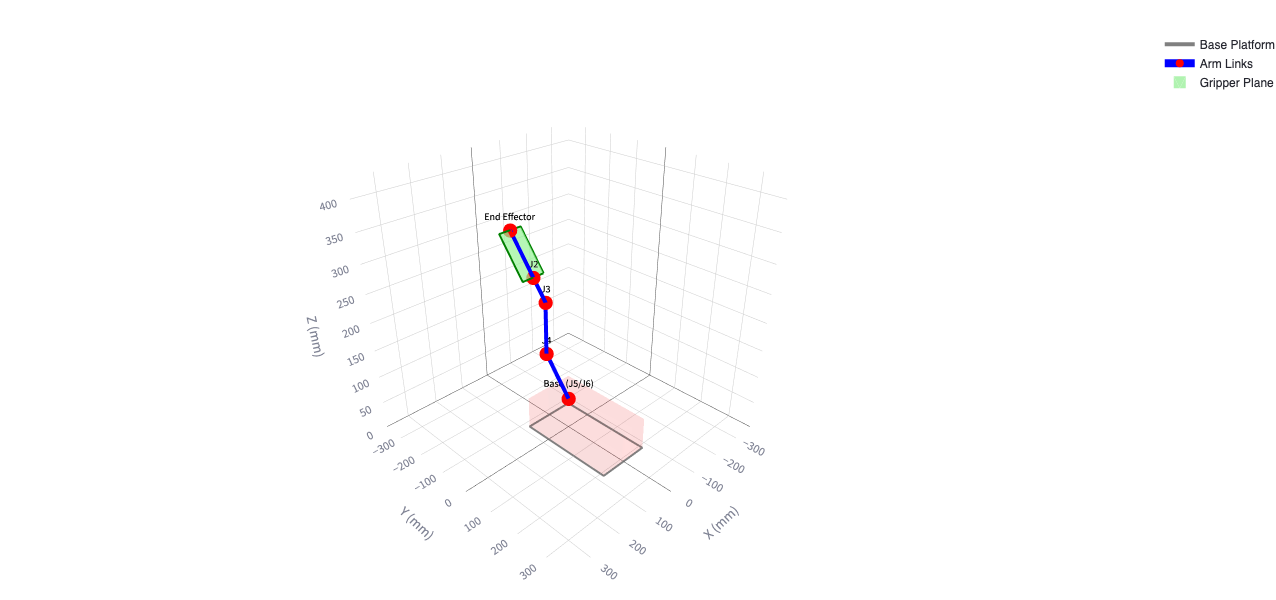
streamlit_arm.py gives me a cockpit where sliders, IK targets, and a Plotly 3D scene update in real time. It is intentionally visual: a translucent base disc shows the valid footprint, a red semi-cylinder marks the restricted zone, and the gripper plane is rendered so you can spot wrist flips before they happen. You can try the hosted build any time at armpi-5dof-gripper-simulator.streamlit.app.
Under the hood, dragging a slider or typing an (x, y, z) target calls the same inverse-kinematics routine. The UI just chooses the smoothest solution - lowest total servo travel - so exploratory motions feel organic instead of jittery.
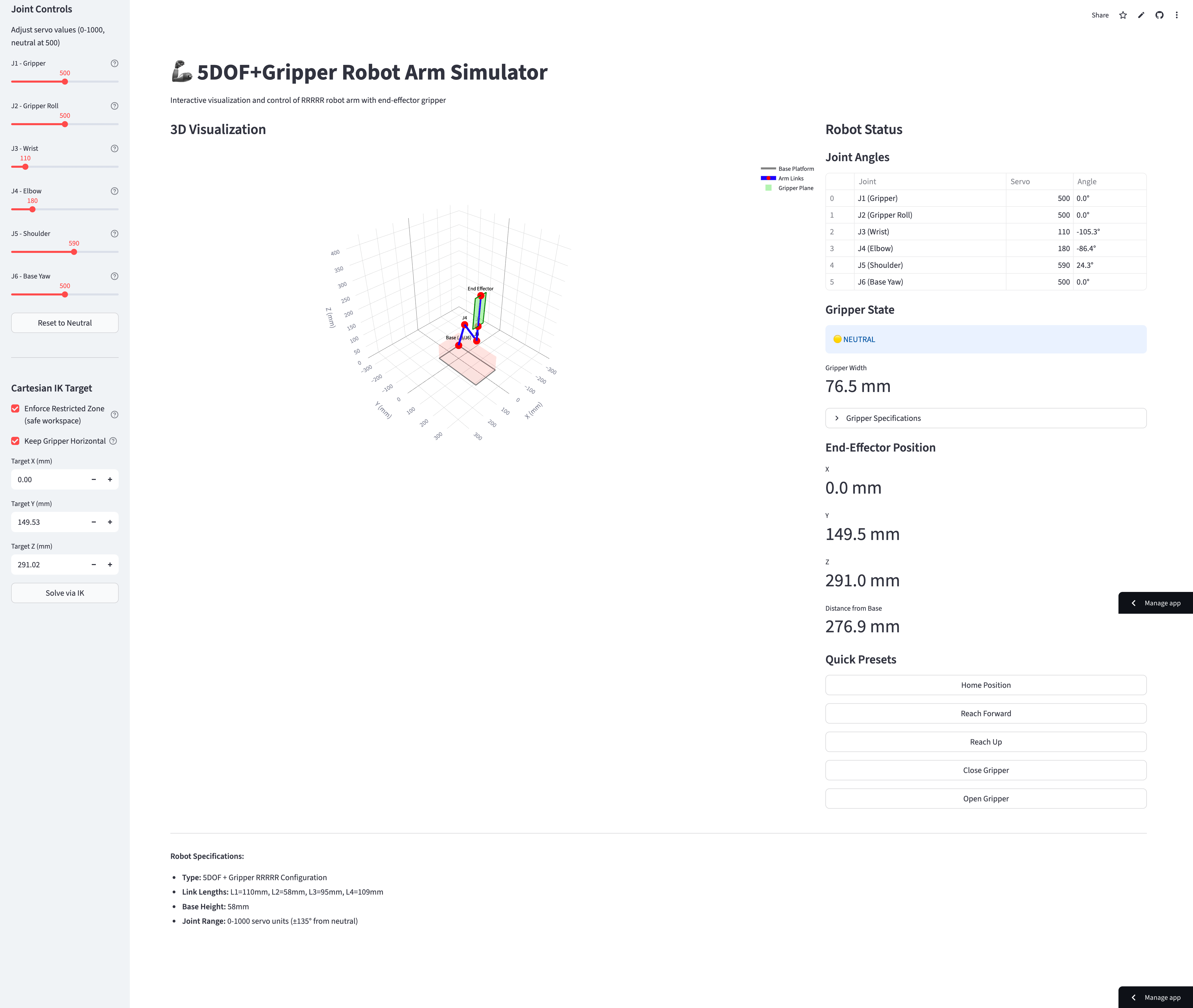
- Preset buttons capture common poses like "camera-ready" or "pick from tray".
- A pair of toggles lets me enable/disable restricted-zone and horizontal-gripper constraints on the fly.
CLI for repeatable experiments
I quickly needed something scriptable, especially for calibration lines and circular motions, so arm_control.py acts as a REPL. Commands like target 120 -40 150, line ..., and circle ... walk through sets of IK solves while aborting if a waypoint becomes unreachable.
Because the CLI shares the same RobotArm instance as the simulator, it remembers the arm’s last state, queueing up linear moves or gripper toggles exactly as the visualisation would. I can batch experiments by piping commands into stdin, capture logs, and rerun them days later without touching the UI.
- Hardware streaming flips on with
hardware on 0.3, which maps to a normalised servo speed. restrictandhorizontalcommands behave like feature flags; once flipped they persist for the session.
Bridging to the physical arm
The simulator becomes a real manipulator by calling attach_hardware(), which wraps the bundled ros_robot_controller_sdk. Updates stream joint-by-joint (J6→J1) to limit bus jitter, and the same motion primitives now move aluminum instead of triangles.
A neat side effect of keeping everything simulator-first is that I can dry-run trajectories, export the servo profile, and evaluate collision risk before the hardware wakes up. When I finally attach the controller board, the arm simply replays what I already validated on-screen.
- You can skip the automatic homing sequence by calling
attach_hardware(auto_initialize=false)if the servos already match the simulator state. - Detaching hardware keeps the virtual arm alive, so it is easy to alternate between sandbox testing and live runs.